AI Packaging Design: How AI Is Transforming Custom Packaging
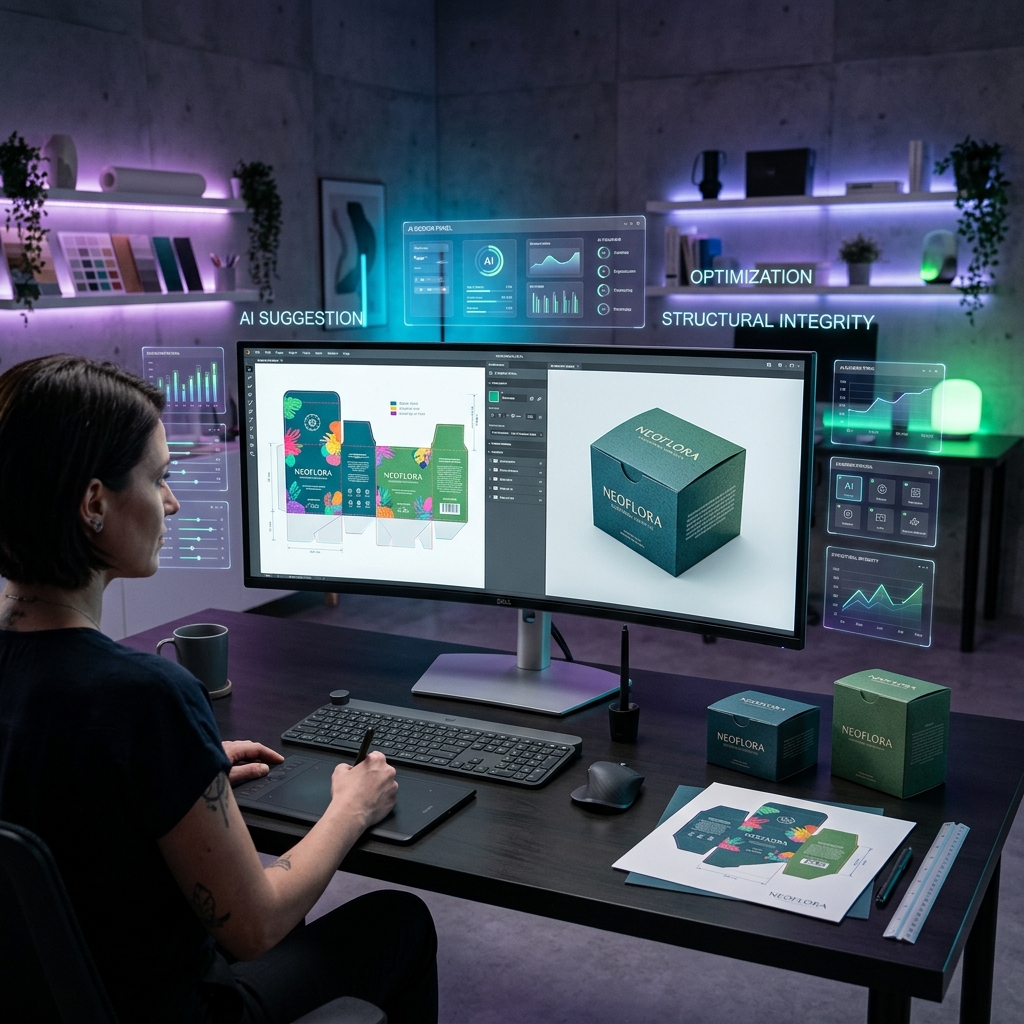
AI packaging design is the use of generative artificial intelligence to create, iterate, and finalize packaging artwork, structural designs, and 3D mockups — reducing the traditional 2–4 week design process to minutes. Modern AI packaging tools like Cubit Design Studio, Pacdora, and Packify use text-to-image models (similar to DALL-E and Midjourney) fine-tuned for packaging applications, combined with structural templates (dielines), to generate production-ready packaging designs from a text prompt or brand guidelines. The AI packaging design market is projected to reach $4.2 billion by 2028, growing at 34% CAGR, as brands shift from expensive agency-led design to AI-assisted workflows that cut design costs by 60–80%.
Key Takeaway: AI packaging design does not replace human designers — it replaces the blank canvas. AI generates 10–50 design concepts in minutes, which a designer (or the brand owner) then refines. This reduces design time from 2–4 weeks to 1–2 days and cuts costs from $2,000–$10,000 per project to $50–$500. The biggest value is in rapid iteration: testing 20 color schemes, layouts, and styles in minutes instead of days.
Table of Contents
- What Is AI Packaging Design?
- How AI Packaging Design Works
- What AI Can and Cannot Do
- AI Design Platforms Compared
- Step-by-Step AI Design Workflow
- Cost Comparison: AI vs Traditional Design
- Industry Use Cases
- AI Design for Small Businesses
- The Future of AI in Packaging
- FAQ
What Is AI Packaging Design?
AI packaging design encompasses three distinct capabilities:
1. Artwork Generation
AI creates visual designs — patterns, illustrations, brand elements, and complete packaging artwork — from text prompts or reference images.
Example prompt: "Minimalist premium cosmetics box, black and gold, geometric pattern, luxury feel" Output: 4–10 complete artwork concepts ready for packaging application
2. Structural Design
AI assists with packaging structure selection, recommending the right box type, dimensions, and dieline based on your product specifications.
Example input: "Fragile glass bottle, 250ml, needs protection during shipping" Output: Recommended box type (tuck-end with insert), dimensions, and downloadable dieline template
3. Mockup Generation
AI renders photorealistic 3D mockups of your packaging design applied to the physical box structure, showing how the final product will look from every angle.
Output: Photorealistic mockup images for marketing, presentations, and e-commerce listings
How AI Packaging Design Works
The Technology Stack
| Component | Technology | What It Does |
|---|---|---|
| Image generation | Diffusion models (Stable Diffusion, DALL-E) | Creates artwork from text prompts |
| Fine-tuning | LoRA / DreamBooth training | Specializes models for packaging aesthetics |
| Dieline templates | Vector database | Provides structural templates for every box type |
| 3D rendering | Three.js / Blender integration | Maps 2D artwork onto 3D box models |
| Color management | ICC profile conversion | Converts RGB output to print-ready CMYK |
| Prepress | Automated preflight | Checks resolution, bleed, color space, die lines |
The AI Design Process
Brand Input → AI Generation → Human Curation → Refinement → Print-Ready Files
↓ ↓ ↓ ↓ ↓
Brand colors 10-50 concepts Select top 3 Adjust details CMYK PDF
Product info in 2-5 minutes for refinement with AI/manual with bleed
Style prefs from AI model (human decision) (iterate fast) + dieline
What AI Can and Cannot Do
What AI Does Well ✅
| Capability | Quality Level | Time Savings |
|---|---|---|
| Generate design concepts | ⭐⭐⭐⭐ | 95% faster |
| Create patterns and textures | ⭐⭐⭐⭐⭐ | 90% faster |
| Color scheme exploration | ⭐⭐⭐⭐⭐ | 98% faster |
| Style transfer ("make this look luxury") | ⭐⭐⭐⭐ | 90% faster |
| Mockup rendering | ⭐⭐⭐⭐ | 80% faster |
| Illustration generation | ⭐⭐⭐⭐ | 85% faster |
| Product photography (virtual) | ⭐⭐⭐ | 70% faster |
What AI Cannot Do (Yet) ❌
| Limitation | Why | Solution |
|---|---|---|
| Precise text rendering | AI struggles with exact fonts and spacing | Add text in post-processing (Illustrator, Canva) |
| Exact brand standard compliance | Cannot guarantee Pantone-exact colors from generation | Apply brand colors manually after AI concept |
| Regulatory text placement | Does not understand FDA/TTB label requirements | Human review for compliance |
| Original logo creation | Generates "logo-like" images, not vector logos | Use dedicated logo tools or a designer |
| Structural engineering | Cannot calculate material strength, stack load | Use engineering calculators and material specs |
| Perfect dieline alignment | Generated artwork may not perfectly align to folds | Manual adjustment in prepress |
The Human + AI Sweet Spot
The best results come from using AI for concept generation and exploration (where speed matters most) and humans for refinement, compliance, and final production (where precision matters most).
AI Design Platforms Compared
| Platform | Type | AI Quality | Print-Ready | Pricing | Best For |
|---|---|---|---|---|---|
| Cubit Design Studio | Full-service | ⭐⭐⭐⭐⭐ | ✅ Direct to print | Included with orders | End-to-end (design → print) |
| Pacdora | Design tool | ⭐⭐⭐⭐ | ✅ Download files | Free / $29–$99/mo | 3D mockups, templates |
| Packify | AI-first | ⭐⭐⭐⭐ | ✅ Download files | $19–$79/mo | AI-generated concepts |
| Arka | Design + print | ⭐⭐⭐ | ✅ Direct to print | Included with orders | Simple designs |
| Canva | General design | ⭐⭐⭐ | ⚠️ Needs manual prep | Free / $13/mo | DIY design basics |
| Adobe Illustrator + Firefly | Professional | ⭐⭐⭐⭐⭐ | ✅ Full control | $23/mo | Professional designers |
Why Cubit Design Studio Is Different
Most AI design tools stop at generating images. Cubit Design Studio is the only platform that connects AI-generated packaging designs directly to manufacturing:
- AI generates your packaging artwork from a text prompt or brand upload
- Design is automatically mapped to the correct dieline template
- 3D mockup renders in real-time as you customize
- One click to order — print-ready files go directly to production
- No design software needed — everything happens in the browser
This eliminates the gap between "I have a design" and "I have boxes in my hands."
Step-by-Step AI Design Workflow
Step 1: Define Your Brand Parameters
Before touching any AI tool, document:
- Brand colors (hex codes or Pantone)
- Logo files (SVG or high-res PNG)
- Brand personality keywords (luxury, playful, minimal, bold, organic, tech)
- Target audience demographics
- Competitor packaging examples (what you like and don't like)
Step 2: Choose Your Box Structure
Select the packaging type based on your product:
| Product Type | Recommended Box | Why |
|---|---|---|
| Cosmetics/beauty | Folding carton (SBS) | Premium feel, print quality |
| Food products | Folding carton or corrugated | FDA compliance, protection |
| E-commerce/DTC | Mailer box (corrugated) | Shipping durability, unboxing |
| Luxury goods | Rigid box | Premium presentation |
| Subscription box | Mailer box or RSC | Recurring, brandable |
| Electronics | Corrugated with insert | Protection + presentation |
Step 3: Generate AI Concepts
Use your AI tool of choice to generate 10–20 concepts:
Prompt formula: "[Style] [product type] packaging, [colors], [pattern/illustration], [mood], [industry]"
Example prompts:
- "Minimalist skincare box, soft pink and white, botanical illustration, clean luxury, cosmetics"
- "Bold energy bar packaging, neon green and black, geometric patterns, athletic, food"
- "Artisan coffee bag design, kraft paper, hand-drawn illustration, warm rustic, specialty coffee"
Step 4: Curate and Refine
- Select the top 3–5 concepts from AI output
- Apply exact brand colors (replace AI-generated colors)
- Add your logo and brand name (using proper fonts)
- Adjust layout for print specifications (bleed, safe zone, barcode placement)
- Add regulatory information (ingredients, weight, barcodes, warnings)
Step 5: Generate Production Files
Export final design as:
- PDF/X-1a with CMYK colors and embedded fonts
- Separate dieline layer (cut, crease, bleed lines)
- 300 DPI minimum resolution
- 3mm bleed on all edges
Cost Comparison: AI vs Traditional Design
| Factor | Traditional Agency | Freelance Designer | AI-Assisted (Cubit) |
|---|---|---|---|
| Concept development | $2,000–$5,000 | $500–$1,500 | $0–$50 |
| Design iterations | $500–$1,500/round | $200–$500/round | $0 (unlimited) |
| 3D mockups | $300–$800 | $100–$300 | Included |
| Print-ready files | Included | $100–$300 | Included |
| Timeline | 2–4 weeks | 1–2 weeks | 1–2 days |
| Total cost | $3,000–$10,000 | $800–$2,500 | $50–$500 |
| Savings vs agency | Baseline | 60–75% | 90–95% |
Break-Even Analysis
A small business launching 4 products per year:
| Approach | Annual Design Cost | Time Invested |
|---|---|---|
| Agency | $12,000–$40,000 | 8–16 weeks |
| Freelancer | $3,200–$10,000 | 4–8 weeks |
| AI (Cubit Design Studio) | $200–$2,000 | 4–8 days |
Industry Use Cases
Food & Beverage
- AI generates label designs for product line extensions (10 flavors in one session)
- Seasonal packaging variants (holiday editions) in hours instead of weeks
- A/B test packaging concepts with photorealistic mockups before committing to print
Cosmetics & Beauty
- Generate luxury packaging concepts that match brand aesthetic
- Create cohesive design systems across product lines (serum, cream, cleanser)
- Rapid prototyping for limited-edition collections
E-Commerce / DTC
- Design branded mailer boxes and tissue paper patterns
- Create unboxing experiences with coordinated inner prints
- Test different color schemes for subscription box seasons
Cannabis
- Generate compliant packaging designs within regulatory constraints
- Create strain-specific designs at scale (20+ varieties)
- Child-resistant packaging design integration
AI Design for Small Businesses
Why AI Levels the Playing Field
Before AI, small businesses had two options for packaging design:
- Pay $3,000–$10,000 for professional agency work (often unaffordable)
- DIY in Canva and get results that look homemade
AI packaging design creates a third option: professional-quality designs at DIY prices. A single entrepreneur can now generate packaging concepts that rival agency output — and iterate 10× faster.
Getting Started with AI Design (Zero Budget)
- Use Cubit Design Studio (free with packaging orders) or Canva's AI features
- Start with a clear brand brief: colors, mood, competitors you admire
- Generate 20+ concepts: The more you generate, the better your options
- Refine your top pick: Add logo, adjust colors, add regulatory text
- Order a sample: Always order one physical sample before a full production run
The Future of AI in Packaging
What's Coming (2026–2028)
| Innovation | Expected Timeline | Impact |
|---|---|---|
| Real-time brand compliance checking | 2026 | AI validates brand guidelines during generation |
| Automated regulatory placement | 2026–2027 | AI places FDA/TTB required text correctly |
| AI structural optimization | 2027 | AI recommends material-efficient box designs |
| Personalized packaging at scale | 2027–2028 | Unique designs for each customer's order |
| Sustainability scoring | 2026 | AI suggests lower-carbon design alternatives |
| AR packaging preview | 2027 | See your packaging in 3D space before ordering |
Frequently Asked Questions
Can AI design packaging from scratch?
AI can generate complete visual designs (artwork, patterns, color schemes, illustrations) from a text prompt in minutes. However, it cannot reliably render precise text, exact brand fonts, or regulatory information. The best workflow is: AI generates the visual concept, then a human (or the brand owner in a design tool) adds text, logos, and compliance elements.
Is AI-designed packaging professional enough for retail?
Yes. When properly refined, AI-generated packaging is indistinguishable from agency-designed packaging on store shelves. The key is in the refinement step: AI generates the concept, and the designer or brand owner polishes it to production standards. Many brands currently on retail shelves used AI-assisted design without consumers knowing.
How much does AI packaging design cost?
AI packaging design ranges from $0 (using free tools like Canva AI) to $50–$500 (using specialized platforms like Cubit Design Studio or Packify). This compares to $3,000–$10,000 for traditional agency design, representing a 90–95% cost reduction. Cubit Design Studio is included free with all packaging orders.
Will AI replace packaging designers?
AI will not replace packaging designers, but it will change their role. Instead of creating designs from scratch, designers will curate, refine, and ensure production-readiness of AI-generated concepts. This makes designers more productive (10× more concepts per day) rather than obsolete. The human skills of brand strategy, consumer psychology, and quality judgment remain essential.
Can I use AI-generated designs commercially?
Yes. Most AI platforms grant full commercial usage rights for generated images. Cubit Design Studio, Midjourney, DALL-E, and Stable Diffusion all allow commercial use of generated artwork. Always check the specific platform's terms of service for any restrictions.
Start Designing with AI
AI packaging design isn't the future — it's now. Brands that adopt AI-assisted design workflows save 90% on design costs and launch products 10× faster.
- Try Cubit Design Studio: Generate your first packaging design in minutes → Start Designing
- Browse packaging templates: 100+ box types with downloadable dielines → Template Library
- Talk to our AI Consultant: Get personalized packaging recommendations → AI Consultant
Published by Cubit Packaging Editorial Team. Last updated June 2026.