
How to Design Custom Packaging Online: Free Tools & Step-by-Step Guide (2026)
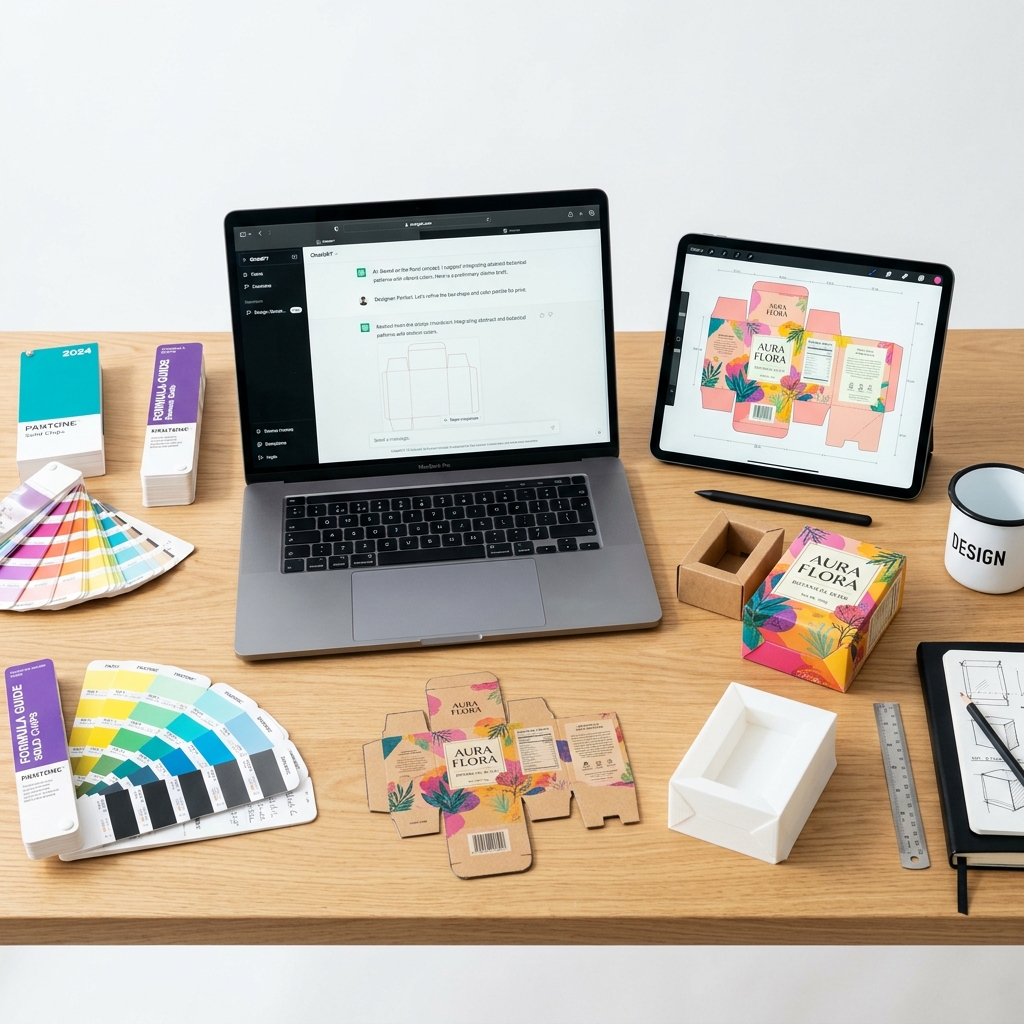
Key Takeaways
- You don't need graphic design experience to create custom packaging — AI tools and online generators handle the technical work
- The average small business spends $300–$1,500 on initial packaging design (Packaging Strategies Survey, 2025)
- 5 viable approaches exist: DIY with Canva, freelance designer, design agency, AI packaging tool, or manufacturer's in-house design team
- Print-ready files require specific elements — bleed areas (3mm+), CMYK color mode, 300 DPI resolution, and proper dieline structure
- 86% of consumers say packaging influences their purchase decision at retail (IPSOS Packaging Survey, 2025)
Why Custom Packaging Matters (Even for Small Brands)
Let's be honest: when you're just starting out, packaging feels like an afterthought. You've got a product, you've got orders coming in, and a plain brown box with a sticker seems good enough. We get it.
But here's the thing — your packaging is the first physical touchpoint a customer has with your brand. Before they see your product, they see your box. And in 2026, that unboxing moment gets shared on TikTok, Instagram, and YouTube. Custom packaging isn't just protection — it's marketing that arrives at your customer's door.
The data backs this up: 52% of online consumers say they'd buy again from a brand that delivers in premium packaging (Dotcom Distribution, 2025). For the cost of a few hundred dollars, custom packaging turns a one-time buyer into a repeat customer.
Step 1: Choose Your Box Type
Before you touch any design tool, decide what kind of box you need:
| Box Type | Best For | Typical Cost (per unit at 500+) |
|---|---|---|
| Mailer box | E-commerce, subscriptions | $0.80–$2.50 |
| Folding carton (tuck-end) | Retail, cosmetics, food | $0.25–$1.50 |
| Rigid box | Luxury, electronics, gifts | $2.00–$8.00 |
| Sleeve & tray | Premium cosmetics, candles | $1.50–$4.00 |
| Pillow box | Small items, jewelry, samples | $0.15–$0.60 |
| Corrugated shipper | Shipping protection | $0.50–$3.00 |
Pro tip: If you're selling online, you almost certainly want a mailer box. If you're selling at retail, you want a folding carton. Don't overthink this part.
Step 2: Determine Your Dimensions
Measure your product. Add clearance:
- Snug fit: Product dimensions + 3mm per side
- With insert: Product dimensions + 10–15mm per side
- With tissue wrap: Product dimensions + 5–8mm per side
Write down: Length × Width × Height in inches or millimeters. You'll need these for every design tool.
Step 3: Pick Your Design Approach
Here are your five options, ranked by effort and cost:
Option A: AI Packaging Design Tool (Fastest)
Best for: Everyone. Seriously.
Tools like Cubit Design Studio let you describe your product in plain English. The AI generates a complete box design — dieline, artwork, and 3D mockup — in under 60 seconds. No design skills needed.
Pros: Free to start, instant results, unlimited iterations, production-ready output Cons: May need human designer polish for complex projects
Option B: Canva / Adobe Express (DIY)
Best for: Simple designs, labels, basic graphics
You can create artwork in Canva and apply it to a packaging template. But you'll need to find dieline templates separately (try Template Maker or ECMA standards), and you're responsible for bleed areas, fold lines, and print specifications.
Pros: Familiar interface, huge template library Cons: No structural design (just graphics), no dieline generation, steep learning curve for print-ready files
Option C: Freelance Designer (Fiverr/Upwork)
Best for: Established brands with specific creative vision
Hire a packaging designer on Fiverr ($200–$800) or Upwork ($500–$2,000). You'll get professional-quality work, but expect 1–3 weeks turnaround and 2–3 revision rounds.
Pros: Human creativity, exact brand vision execution Cons: Expensive, slow, communication overhead
Option D: Design Agency
Best for: Enterprise brands, product line launches
Agencies charge $2,000–$10,000+ and deliver comprehensive brand packaging systems. Timeline: 3–6 weeks minimum.
Pros: Strategic brand thinking, multiple concepts, production management Cons: Very expensive, long timeline, overkill for most small businesses
Option E: Manufacturer's In-House Team
Best for: Brands ordering 5,000+ units who want bundled design
Many packaging manufacturers (including Cubit) offer design services bundled with production orders. The design is free or low-cost because they make money on manufacturing.
Pros: Free/cheap, designer understands production constraints Cons: Limited creative options, tied to one manufacturer
Step 4: Design Your Packaging
Regardless of which approach you chose, your design needs these elements:
Must-Have Elements:
- Logo — prominently placed, high-resolution vector file
- Brand colors — defined in CMYK (not RGB — CMYK is for print)
- Product information — name, size, weight, ingredients/materials
- Regulatory text — FDA panels, warnings, barcodes as applicable
- Brand story — a short tagline or "about us" on an interior panel
Design Principles That Work:
- Less is more — white space sells premium
- One hero element per panel (don't crowd the design)
- Use no more than 3 fonts
- Ensure text is minimum 7pt for readability
- Interior printing creates an unboxing surprise moment
Step 5: Prepare Print-Ready Files
This is where most DIY designers get stuck. Your design needs to be "print-ready" before a manufacturer can use it:
- Color mode: CMYK (not RGB)
- Resolution: 300 DPI minimum
- Bleed area: 3mm beyond every cut line
- Safe zone: Keep important text 5mm inside cut lines
- File format: PDF/X-1a, AI, or EPS (vector preferred)
- Fonts: Outlined/converted to curves
If you're using an AI design tool like Cubit, the human designer handoff handles all of this for you.
Step 6: Order Samples and Production
Never skip the sample step. Order 50–100 samples before committing to a full production run. Check for:
- Color accuracy (compare to digital proof)
- Structural integrity (does the box hold its shape?)
- Insert fit (does your product sit properly?)
- Text readability (can you read the fine print?)
FAQ
What's the cheapest way to design custom packaging?
AI packaging design tools are the cheapest option — many are free to start. Cubit Design Studio offers unlimited AI generations at no cost. For comparison, Fiverr designers start at $200, and agencies start at $2,000.
Can I design packaging without Adobe Illustrator?
Absolutely. AI design tools, Canva, and manufacturer design services all work without Adobe software. If you go the DIY route, Canva's free tier handles basic packaging graphics.
What's a dieline and do I need one?
A dieline is the flat, unfolded template of your box showing all panels, fold lines, and cut lines. Yes, you need one — it's the blueprint manufacturers use to produce your packaging. AI tools generate these automatically.
How many units should I order for my first run?
Most manufacturers have a minimum of 500 units for custom printed packaging. Start there, test the market, and scale up once you've validated your product-packaging fit.
Ready to design your custom packaging? Start free with Cubit Design Studio — describe your product, get a complete box design in 60 seconds.
Related Reading:
Ready to order custom packaging? Custom Mailer Boxes → | Custom Folding Cartons → | Custom Mylar Bags → — full-color printing, free design support. From 500 units. Browse all products →