
Design & Technology
AI Packaging Design: The Complete Guide to Designing Custom Packaging with AI (2026)
Cubit Packaging Team
May 7, 2026
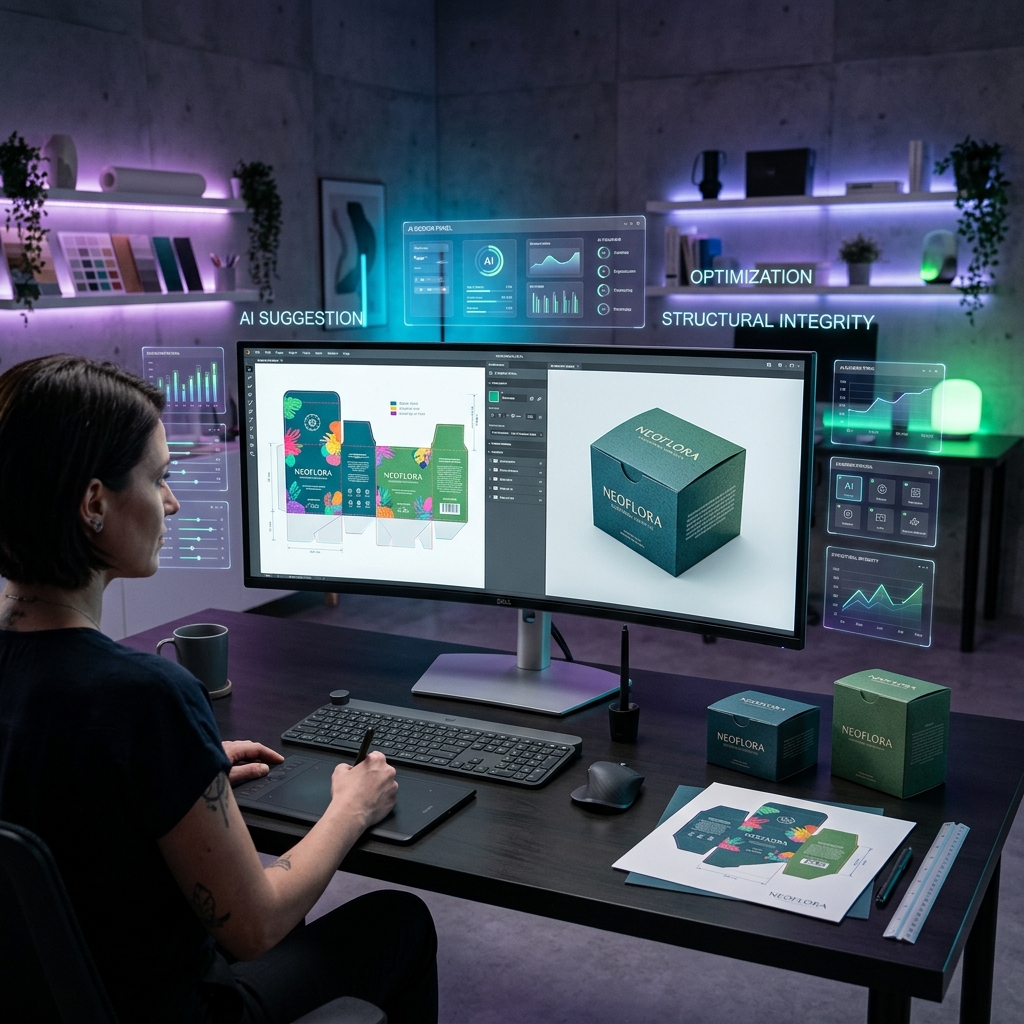
AI packaging design is the use of artificial intelligence to generate custom packaging artwork, structural templates (dielines), and 3D product mockups from natural language descriptions. Instead of hiring a graphic designer and waiting weeks for revisions, you describe what you want in plain English — and the AI produces a complete, print-ready package design.
Here's what makes it different from traditional design:
| Factor | AI Packaging Design | Traditional Design |
|---|---|---|
| Time to first design | Under 60 seconds | 2–3 weeks |
| Cost per project | Free to start | $500–$5,000+ |
| Design experience needed | None | Professional designer |
| Iterations per round | Unlimited, instant | 2–3 revisions typical |
| Output format | Dieline + 3D mockup | Usually dieline only |
| Industry compliance | Built-in (FDA, INCI, THC) | Depends on designer |
The technology works by combining large language models (for understanding your brief) with specialized image generation models trained on packaging structures. The AI knows what a tuck-end box looks like, where glue tabs go, how bleed areas work, and what FDA nutrition panel placement looks like — because it's been trained on thousands of real packaging templates.
Most people imagine AI design as "type a prompt, get an image." The reality is more structured than that. Here's the actual workflow:
You start by telling the AI about your product. Not just "make me a box" — the AI asks smart questions: What's inside? What industry? What's your brand aesthetic? Do you need regulatory panels?
For example: "I'm launching a line of organic face serums. The brand is called Bloom. I want a clean, minimal look with sage green and gold foil. The box needs to fit a 30ml dropper bottle."
The AI produces a single high-resolution image (2K–4K) that contains two things:
Both halves use the exact same artwork, so what you see in the 3D preview is exactly what gets printed.
This is where AI design gets genuinely useful. You can draw directly on the design — circle something you don't like, add an arrow pointing to where you want the logo bigger, write "make this text gold foil" right on the canvas. The AI reads your visual annotations and applies the changes in the next generation.
Every iteration gets saved automatically. You can flip between version 1 and version 12 with one click. Compare side by side. Restore any previous version. No more "Final_v3_REALLY_FINAL.pdf" file naming chaos.
When the AI design is 80% there, you hand it off to a real packaging designer who refines it for manufacturing specifications — proper Pantone matching, die-cut tolerances, print registration marks. The best AI tools include this step built-in.
The finished design flows directly into a quote request. No exporting, no emailing PDFs. Design to production in one platform.
Modern AI packaging design tools handle a surprising range of packaging structures:
Supported Box Types:
Industry-Specific Intelligence:
Here's the honest breakdown of costs across different approaches:
| Approach | Cost | Timeline | Best For |
|---|---|---|---|
| Freelance designer (Fiverr/Upwork) | $200–$2,000 | 1–3 weeks | One-off projects |
| Design agency | $2,000–$10,000 | 3–6 weeks | Enterprise brands |
| In-house designer | $50,000–$80,000/yr | Ongoing | High-volume brands |
| AI design tool (Cubit) | Free to start | Under 60 seconds | Everyone |
| Canva/generic tools | $13–$30/mo | Hours (DIY) | Simple labels only |
The ROI calculation is straightforward: if a freelance designer charges $500 per box design, and you need 10 SKUs redesigned per year, that's $5,000 annually — plus 20–30 weeks of cumulative wait time. AI design eliminates both costs.
A common mistake: trying to use Midjourney, DALL-E, or Canva's AI for packaging design. Here's why that doesn't work:
Generic AI tools produce pretty pictures. They don't understand packaging structures. When you ask Midjourney for a "mailer box design," you get a photorealistic image of a box — but no dieline, no fold lines, no structural template, no bleed areas, no print specifications.
Packaging-specific AI tools produce manufacturing files. The output includes:
That's the difference between "a picture of a box" and "a blueprint for manufacturing a box."
Perfect for:
Not ideal for (yet):
AI-generated dielines are structurally accurate for standard box types (tuck-end, auto-bottom, mailer). Panel proportions, fold angles, and glue tab placement follow industry standards. However, production-ready files should always go through a human designer review for die-cut tolerance verification before manufacturing.
Not entirely. AI handles 80% of the creative and structural work — generating concepts, layouts, and mockups at speed. The remaining 20% (print specifications, Pantone matching, press-ready file preparation) still benefits from human expertise. The best approach is AI for ideation and iteration, human for production finalization.
Most AI packaging tools output high-resolution PNG or JPEG composites (2K–4K). For production, these are refined into vector formats (AI, PDF, EPS) during the human designer handoff stage. Some tools also generate SVG dieline templates.
Several platforms offer free tiers. Cubit Design Studio is free to start with unlimited AI generations. Premium features like human designer handoff and production ordering are available at additional cost.
You specify dimensions (length × width × height) and the AI calculates panel proportions, flap sizes, and structural elements automatically. Standard packaging formulas determine dust flap width, tuck flap depth, and glue tab sizing based on your dimensions.
Yes, if the AI tool has food industry compliance built in. Look for tools that understand FDA nutrition facts panel placement, allergen warning requirements, barcode positioning, and food-safe ink specifications. Generic AI tools won't handle these requirements.
Ready to try AI packaging design? Start designing in Cubit Design Studio — free, no design experience required. Or talk to our AI Packaging Consultant for material and compliance advice.
Related Reading:
Try Cubit Design Studio to create AI-generated packaging concepts, 3D mockups, and print-ready dielines. Choose from custom mailer boxes, rigid boxes, folding cartons, stand-up pouches, and labels & stickers. Get material recommendations from the AI Packaging Consultant or request a free quote.
Ready to order custom packaging? Custom Mailer Boxes → | Custom Folding Cartons → | Custom Mylar Bags → — full-color printing, free design support. From 500 units. Browse all products →
Design your packaging free in 60s
Try the free AI packaging design toolNeed Custom Packaging?
Get a free quote with pricing, MOQs, and turnaround time for your custom packaging project.