
Technology & Innovation
QR Codes on Packaging: Complete Implementation Guide
Cubit Packaging Editorial Team
June 8, 2026
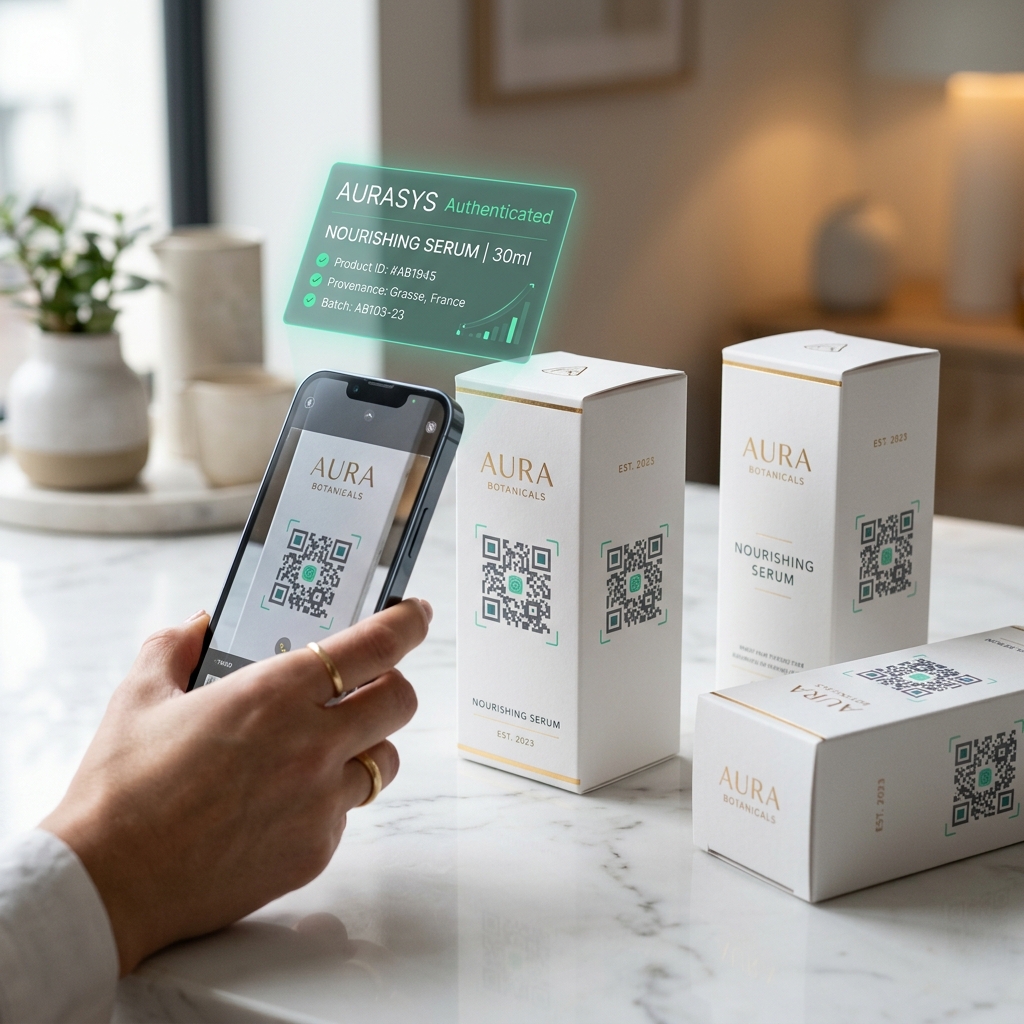
QR codes on packaging connect physical products to digital experiences — letting customers verify authenticity, access product information, join loyalty programs, and provide feedback with a single smartphone scan. As of 2026, 57% of consumers actively scan QR codes on product packaging, and the global QR code market has reached $15.23 billion.
Key Takeaway: Adding a QR code to your packaging costs $0.002–$0.05 per unit and can increase customer engagement by 30–45%, reduce counterfeiting by up to 70%, and provide real-time analytics on every product interaction.
A QR code (Quick Response code) on packaging is a two-dimensional barcode printed directly onto product packaging that links to digital content when scanned with a smartphone camera. Unlike traditional barcodes that store only 20 digits, QR codes can encode up to 7,089 numeric characters or 4,296 alphanumeric characters — enough to store URLs, product data, authentication tokens, and even multimedia content.
QR codes on packaging serve as a bridge between the physical product and the digital world. When a customer scans the code, they can be directed to:
The technology has evolved significantly since the COVID-19 pandemic accelerated adoption. In 2026, QR codes are no longer a novelty — they are an expected part of the packaging experience, particularly in food and beverage, pharmaceuticals, cosmetics, and luxury goods.
| Benefit | Impact | Data Source |
|---|---|---|
| Customer engagement | +30–45% interaction rate | QR Tiger 2026 Report |
| Counterfeit reduction | Up to 70% fewer fakes | Mordor Intelligence |
| Post-purchase data | Real-time scan analytics | Industry average |
| Sustainability transparency | 63% of consumers want it | McKinsey Packaging Survey |
| Regulatory compliance | EU Digital Product Passport mandatory by 2027 | European Commission |
Choosing between dynamic and static QR codes is the most important technical decision when implementing QR codes on packaging.
| Feature | Static QR Code | Dynamic QR Code |
|---|---|---|
| Content | Fixed, cannot be changed | Can be updated anytime |
| URL | Direct destination URL | Redirects through platform |
| Analytics | No tracking | Scan count, location, device, time |
| Cost | Free (one-time generation) | $5–$49/month platform fee |
| Best For | Simple URLs, permanent info | Marketing campaigns, rotating content |
| Error Correction | Same | Same |
| Print Size | May be larger (long URL encoded) | Smaller (short redirect URL) |
Use dynamic QR codes for product packaging in almost every case. The ability to update the destination URL after printing means you can:
Static QR codes are only appropriate for permanent, unchanging content like regulatory compliance information or safety data sheets.
Serialize each QR code with a unique identifier. When scanned, the code verifies against a cloud database to confirm authenticity. This is critical for pharmaceuticals (DSCSA compliance), luxury goods, and high-value electronics.
ROI: Luxury brands report 60–70% reduction in counterfeit incidents after implementing serialized QR authentication.
Link to a landing page showing your product's carbon footprint, sourcing origins, and recyclability instructions. Cubit Green provides this as an automated feature — each product gets a consumer-facing sustainability page accessible via QR code.
ROI: 63% of consumers are willing to pay more for demonstrably sustainable products (McKinsey).
Food and beverage brands link to recipes, cocktail ideas, or food pairing suggestions. This extends the brand relationship beyond the point of sale.
ROI: Brands report 25–35% increase in repeat purchases when consumers engage with usage content.
Scan-to-earn programs incentivize repeat purchases. Each scan credits the customer's loyalty account, creating a direct channel for re-engagement.
ROI: Scan-based loyalty programs show 40% higher enrollment rates than traditional programs.
QR codes can link to complete ingredient lists, allergen information, safety data sheets, and disposal instructions — satisfying regulatory requirements without cluttering limited packaging real estate.
ROI: Reduces packaging redesign costs by 20–30% when regulations change (update digital content instead of reprinting).
Step 1: Choose your QR code type — Dynamic (recommended) or static.
Step 2: Select your platform — Options include Cubit One (integrated with your packaging order), QR Tiger, Beaconstac/Uniqode, or Bitly.
Step 3: Create your landing page — Design a mobile-first page that loads in under 2 seconds. Include your brand identity, the specific information promised by your call-to-action, and a clear next step.
Step 4: Generate the QR code — Enter your landing page URL, customize colors to match your brand (maintain contrast), add your logo, and set error correction to Level H (30%).
Step 5: Test thoroughly — Scan with at least 5 different devices (iOS and Android, old and new models). Test in different lighting conditions. Verify the landing page loads correctly on mobile.
Step 6: Export for print — Download as SVG or high-resolution PNG (minimum 300 DPI). Provide the file to your packaging printer or upload directly in Cubit Design Studio.
Step 7: Validate on printed proof — Always test the QR code on a physical print proof before approving the full production run.
| Print Method | Minimum QR Size | Recommended | Notes |
|---|---|---|---|
| Offset lithography | 1.5cm × 1.5cm | 2.5cm × 2.5cm | High precision, best quality |
| Flexography | 2cm × 2cm | 3cm × 3cm | Common for corrugated; watch for ink spread |
| Digital printing | 1.5cm × 1.5cm | 2cm × 2cm | Best for variable data/serialized codes |
| Screen printing | 2.5cm × 2.5cm | 3.5cm × 3.5cm | Lower resolution; use simple QR designs |
| Thermal transfer | 2cm × 2cm | 2.5cm × 2.5cm | Good for labels and stickers |
| Component | Cost Per Unit | Notes |
|---|---|---|
| QR code generation | $0.00 | Free with most platforms |
| Dynamic QR platform | $0.001–$0.01 | Based on plan ÷ total scans |
| Printing (variable data) | $0.001–$0.03 | Serialized codes cost more |
| Landing page hosting | $0.001–$0.01 | Amortized across units |
| Total per unit | $0.002–$0.05 |
For comparison, NFC tags cost $0.10–$0.50 per unit — making QR codes 5–100× cheaper for basic digital engagement.
Added serialized QR codes to bottle caps for authentication. Results: 68% reduction in counterfeit reports, 12,000 monthly scans providing real-time market intelligence.
QR codes on packaging link to farm-to-table sourcing maps. Results: 34% increase in website traffic from packaging, 28% higher repeat purchase rate among scanners.
QR codes inside the box link to unboxing tutorial videos and social media sharing prompts. Results: 45% of subscribers scanned, 22% shared on social media.
| Factor | QR Code | NFC Tag |
|---|---|---|
| Cost per unit | $0.002–$0.05 | $0.10–$0.50 |
| Scan distance | Up to 30cm (camera) | 1–4cm (tap required) |
| Consumer familiarity | Very high (57% scan rate) | Low (requires education) |
| Security | Medium (can be copied) | High (unique chip ID) |
| Durability | Can be scratched/damaged | Survives moisture, bending |
| Best for | Mass-market engagement | Premium authentication |
Recommendation: Use QR codes for consumer engagement and NFC for premium authentication. Many brands use both — QR for the masses, NFC for brand protection. Cubit One supports both technologies in a single platform.
Static QR codes last indefinitely — they are simply a printed pattern. Dynamic QR codes last as long as the hosting platform is active. Choose a reputable platform and keep your subscription current.
Yes, QR codes can be printed on paper, cardboard, plastic, metal, glass, and fabric. The key requirement is sufficient contrast between the dark modules and the background. Avoid printing on highly reflective or textured surfaces without testing first.
The minimum size depends on the print method and scanning distance. For packaging, 2cm × 2cm (0.8" × 0.8") is the recommended minimum. At arm's length (30cm/12"), a 2.5cm code works reliably across all modern smartphones.
Static QR codes that encode text, contact info, or WiFi credentials work without internet. QR codes that link to URLs require an internet connection on the scanning device.
Use dynamic QR codes through a platform like Cubit One, QR Tiger, or Bitly. These platforms provide dashboards showing scan count, geographic location, device type, time of day, and unique vs repeat scans.
Ready to add smart QR codes to your packaging? Here's how to start:
QR codes on packaging represent the simplest, most cost-effective way to turn every product into a digital touchpoint. At $0.002–$0.05 per unit, the ROI is undeniable.
Published by Cubit Packaging Editorial Team. Last updated June 2026.
Design your packaging free in 60s
Try the free AI packaging design toolNeed Custom Packaging?
Get a free quote with pricing, MOQs, and turnaround time for your custom packaging project.